
Try the demoBook a walkthrough

Lift ticket and season pass software for independent ski areas.

Sell day tickets, season passes and gift cards at the counter and online, load them on RFID cards, and scan them at the lift. A pass that was just used is stopped, and every refund keeps its reason.

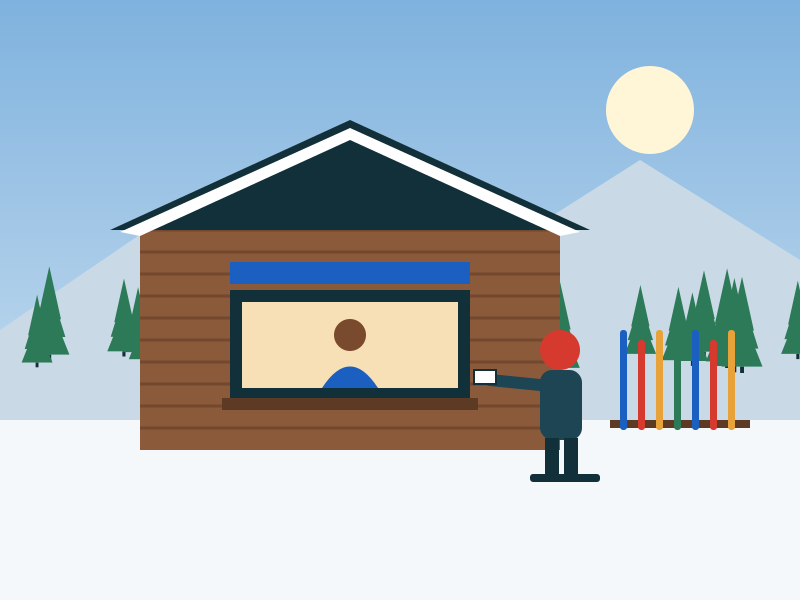
Illustration of a skier buying a ticket at the lodge window

The line at the window is the first thing guests remember.

When the till, the pass list and the gate don't talk to each other, the counter retypes names, passes get shared, and nobody can say what sold yesterday. DAY/OS sells, scans and counts in one place.

  • Pass lists in a spreadsheet
  • Paper day tickets
  • Retyping online orders
  • A cash drawer counted by guesswork
  • Refunds with no reason

From the window to the lift.

Sell and Gate work together, with the prices you set once in Products and prices.

The counter

Tickets, passes and gift cards at one window.

A guest without a waiver that counts is flagged before the sale, not at the lift.
What it does
  • Day tickets, season passes and gift cards
  • Quick sale: day tickets skip the customer form
  • Cash buttons for exact, $20, $50 and $100, with the change in large type
  • Promo codes and sales tax rules you set once
  • Refunds need a reason, and the reason is kept
  • Receipts for every sale

The gate

Scan it at the lift and know it was used.

What it does
  • Scan lift tickets and passes by code
  • RFID cards: load a ticket or pass, tap at the gate, reload next season
  • A desk reader that types like a keyboard works in every card field
  • A pass that was just used is stopped
  • Scan history shows when and where a pass was used

The online shop

Sell tickets and passes while you sleep. An add-on, included in the Resort plan.

What it does
  • Guests choose a day first, with that day's lowest price on the calendar
  • Lift tickets, multi-day tickets, season passes with a photo, and gift cards from $5 to $1,000
  • Daily ticket limits, a waitlist when a day sells out, and products sold only on set weekdays
  • A discount for buying ahead, and promo codes including one-use codes
  • Lessons, rentals and vouchers offered as extras in the basket
  • Guests change their date online for a fee you set
  • Your logo, colour and photo on the page, and reminder emails for unfinished baskets

Prices and the drawer

What you sell, what it costs, and whether the till agrees.

What it does
  • Items, passes and add-ons with prices, and prices by date
  • Days a product is not sold
  • Till drawers counted against what the system expects, with a note when the count is off
  • Daily reconciliation, and exports for sales, payments and refunds

Built for the window and the lift line.

On the counter computer

Sell in a normal web browser, with nothing to install. Big buttons and the change in large type.

At the lift

Scan codes or tap RFID cards on a phone or a desk reader at the gate.

On the guest's phone

The online shop works on any phone, and guests who bought online skip the window.

In the office

Sales, refunds and payments download as spreadsheets whenever you want them.

Sell and Gate come in every mountain plan.The online shop is an add-on on any plan, and included in Resort. Every plan starts with 14 days free, no card.
See pricing

Questions about tickets and passes.

Can we use RFID cards?

Yes. Load a ticket or pass on a card at the counter, tap it at the gate, and load it again next season. A desk reader that types like a keyboard works in every card field.

Can guests buy lift tickets online?

Yes, with the Online shop add-on. Guests pick a day on a calendar showing that day's lowest price, then buy by card through Stripe. You can set a daily limit, and a waitlist opens when a day sells out.

How do you stop pass sharing?

The gate stops a pass that was just used, and scan history shows when and where each pass was scanned. Season passes sold online can carry the guest's photo.

Do refunds need approval?

Every refund needs a reason, and the reason is kept with the sale. Large refunds ask the person to confirm who they are again.

Does it check waivers?

Yes. Sell, Rentals, Ski school and the Gate all show whether a guest has a waiver that counts.

How do card payments work?

Card payments go through Stripe, and card numbers never touch DAY/OS. Card processing fees pass through at Stripe's cost.

See a sale go from the window to the lift.

In 20 minutes we'll sell a pass, load it on a card and scan it at the gate, with your own products on the screen.